












![[EXCLUSIVE] Dragon’s Dogma 2: Dark Arisen Team Opens Up About the Expansion’s Name, New Norgan Region, and Performance Goals](https://cdn.gamerbraves.com/2026/07/Dragons-Dogma-2-Dark-Arisen_Interview_FI-360x180.jpg)



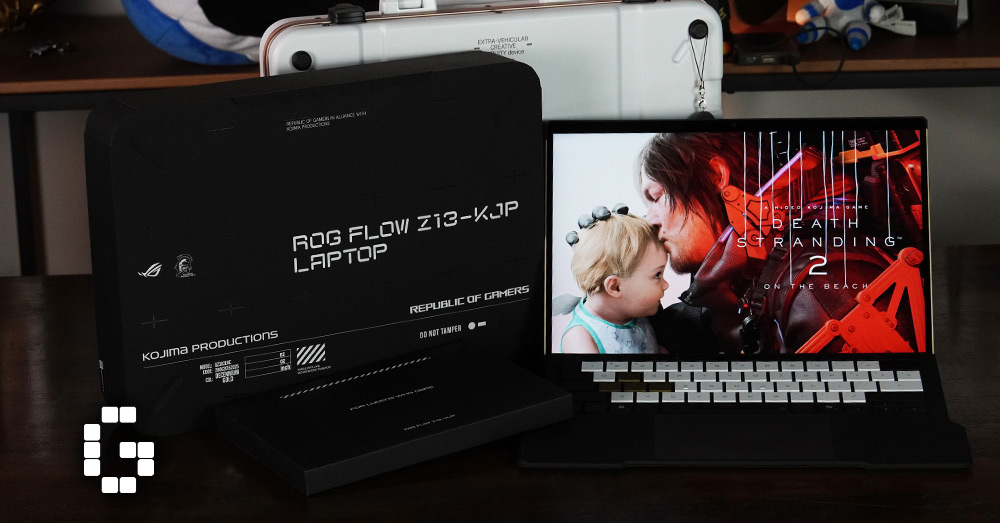
There’s a certain kind of product that shows up once in a while and genuinely makes you stop and think about what a gaming device is actually supposed to be. The ROG Flow Z13-KJP is one of those products. On the surface, it’s a detachable tablet with gaming credentials. But once you actually hold it, look at the details, and run it through its paces, it becomes clear that ASUS and Kojima Productions weren’t just putting two logos on a box together. This review covers everything from the design and build quality, to how it performs across real workloads and current AAA games, including a few things that work really well and a couple of honest limitations worth knowing before you consider one.
A Design Built by an Artist, Not a Marketing Team
Most co-branded gaming devices follow a predictable formula: take an existing product, change the color, add a logo, and call it a collaboration. The ROG Flow Z13-KJP does not do that. The exterior was directly designed by Yoji Shinkawa, Art Director of Kojima Productions and the creative mind behind the visual worlds of Metal Gear Solid and Death Stranding. His involvement wasn’t a licensing deal where a pre-made illustration gets handed to a factory. The geometric shapes, material choices, and graphic layering on the chassis all trace back to his direct creative input.
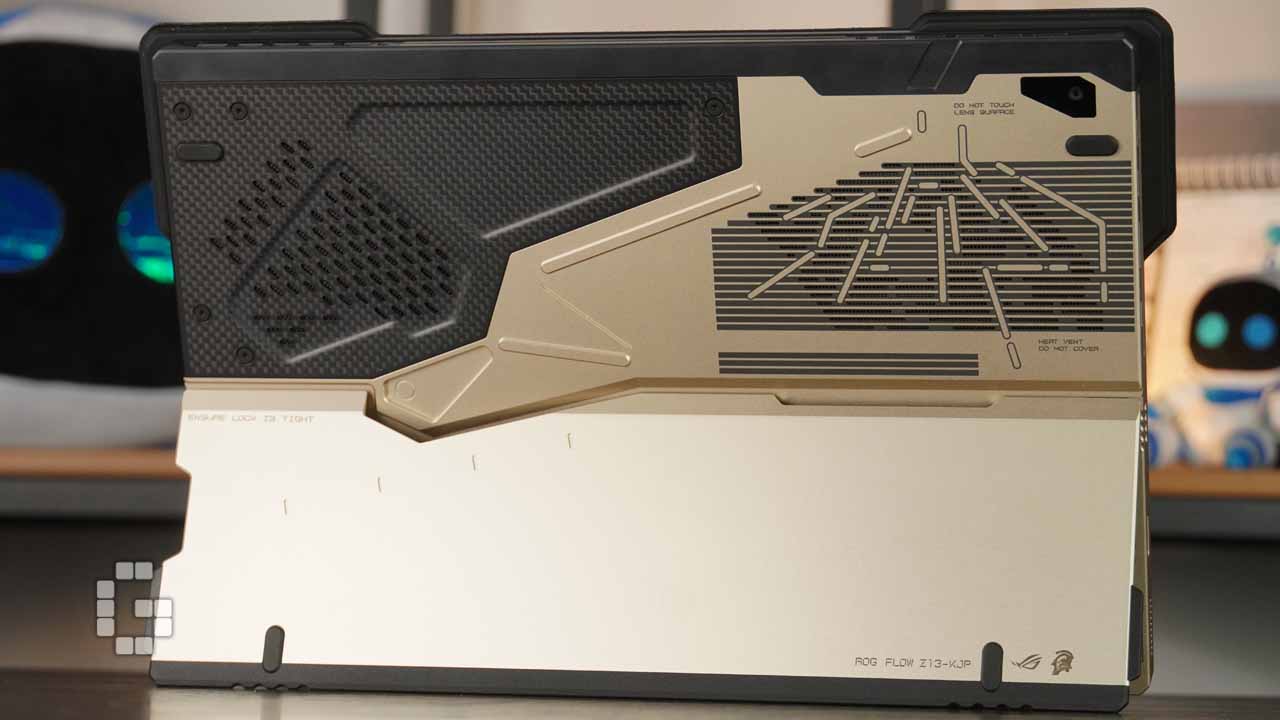
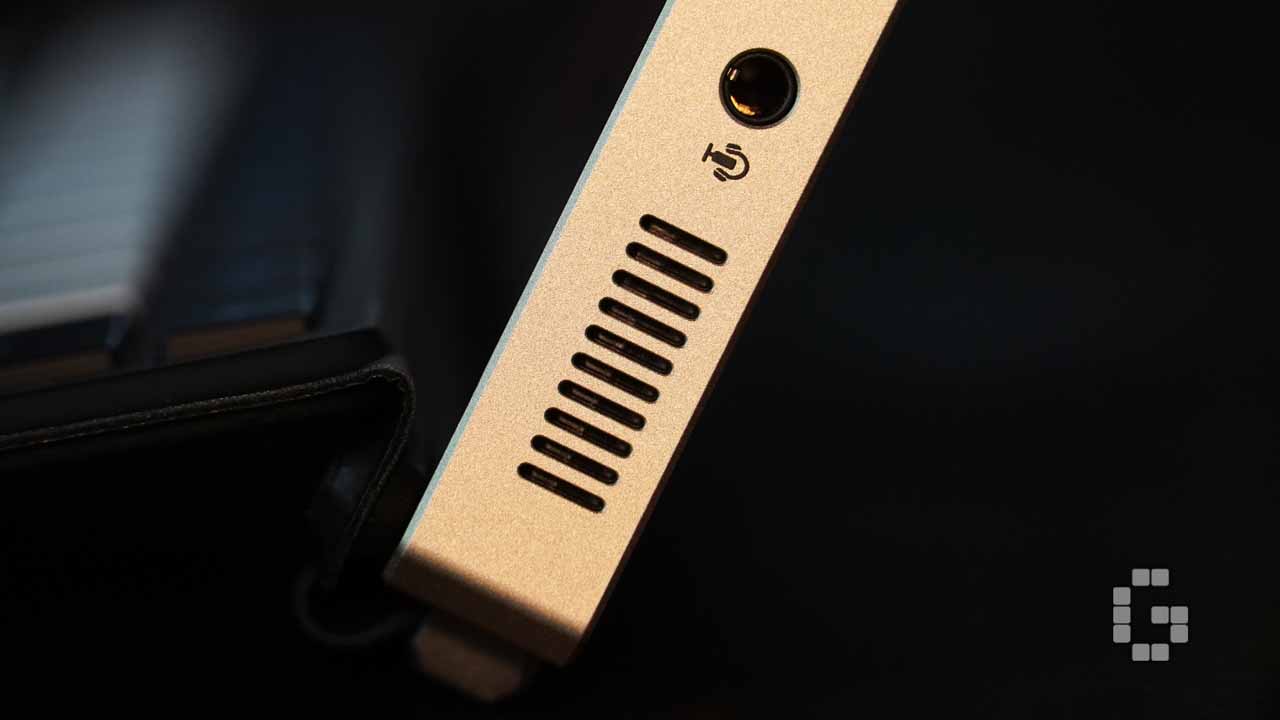
The body is CNC-milled aluminum in a Decennium Gold finish, paired with carbon fiber paneling and laser-etched ventilation openings. For a brand like ROG that has historically stuck to blacks, dark grays, and aggressive reds, this colorway is a genuine departure. The angular cuts across the chassis are not printed graphics but are actual machined grooves milled into the aluminum, referencing the segmented armor of the Ludens suit. Running a finger across these grooves makes the depth immediately obvious, and under different lighting, they cast shifting shadows that give the chassis a three-dimensional quality that no surface treatment or sticker could replicate. The carbon fiber panel sits right next to the aluminum, and the visual transition between the two materials is something you notice differently depending on the angle and the light.
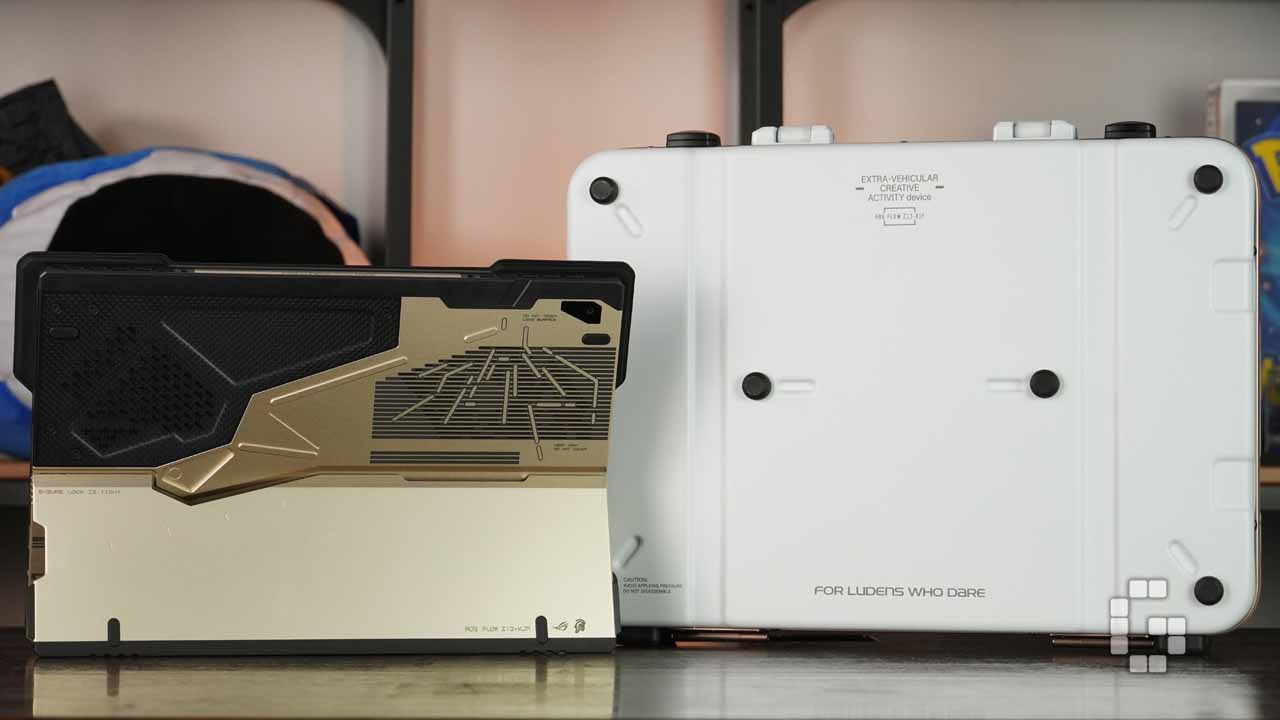
What really sets the KJP apart in day-to-day use are the micro-text annotations printed across the body. “Ensure lock is tight” appears near the kickstand hinge. “Do not touch lens surface” circles the rear camera. “Li polymer battery pack here” is labeled where you’d expect it on an engineering prototype. These small details add a layer of narrative to the device that makes it feel more like issued field equipment than a consumer product.
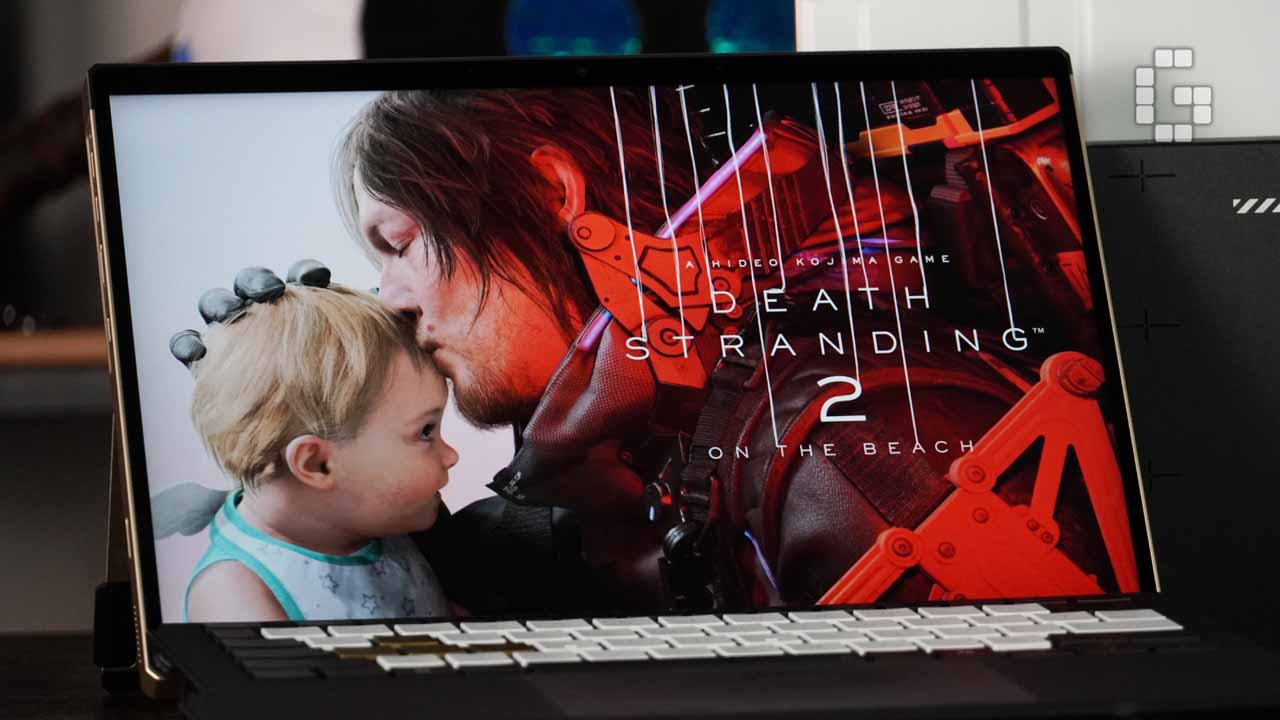
Being a detachable two-in-one adds something special to the design story as well. In tablet mode, the Ludens-referencing rear panel takes center stage. Attach the keyboard and the KJP-specific keycap typography becomes the focus. Prop it in kickstand mode and the contrast between the milled aluminum frame and carbon fiber back draws the eye. The included carry pouch continues this theme, featuring Shinkawa’s hand-drawn artwork, a design referencing Death Stranding’s cargo containers, and the co-branded tagline “For Ludens Who Dare.”
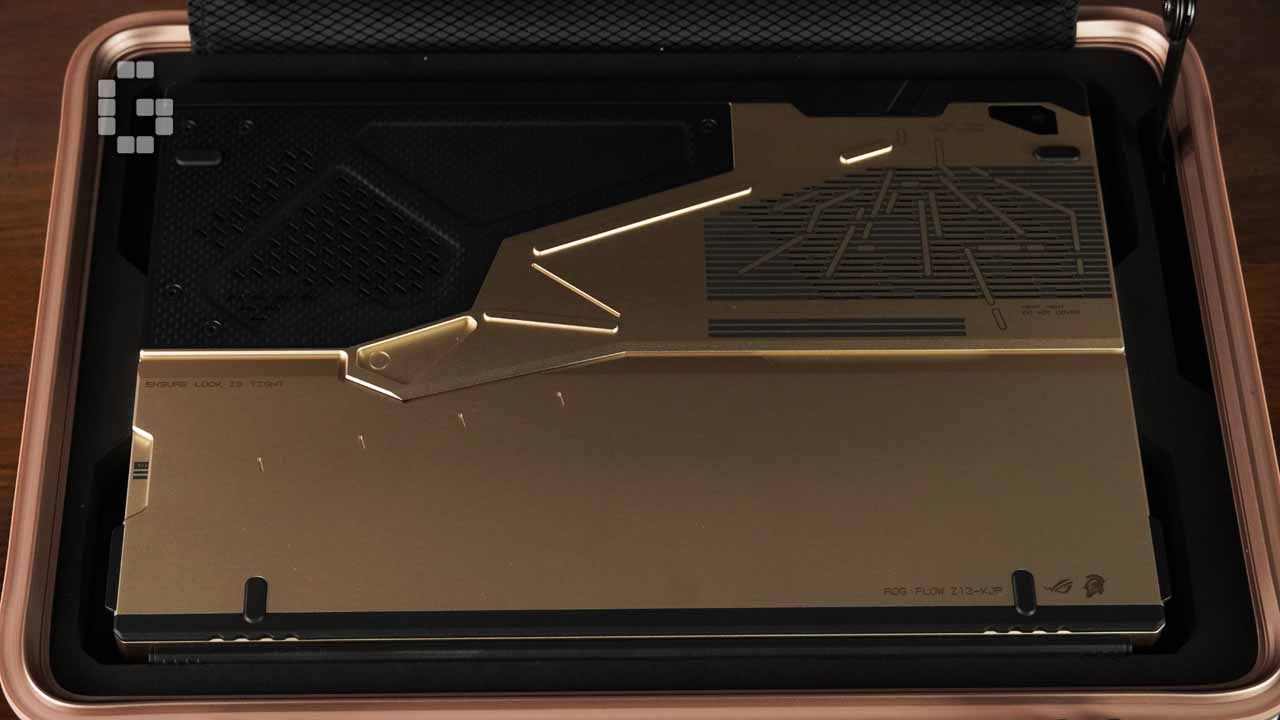
At around 12mm thick and 1.1kg without the keyboard (roughly 1.3kg with it) the Z13-KJP is close to half the weight of a typical 15-inch gaming laptop without giving up build quality. The kickstand adjusts up to 170 degrees, handling everything from desk work to gaming propped against a stand with a controller.
Keyboard, Trackpad, and Display
The detachable keyboard has received meaningful improvements this generation. Key travel sits at around 1.5mm, with well-spaced keycaps, solid rebound, and a lightly textured surface that stays comfortable during long typing sessions. The KJP edition goes with co-branded keycap designs instead of RGB backlighting, keeping the visual consistency with the rest of the device intact rather than introducing a completely different aesthetic.


The trackpad is compact but responsive, supporting multi-finger gestures with reliable tracking. Palm rejection during typing is well-tuned, meaning accidental cursor movements are rare, which is a detail that matters more than it sounds on a device with this footprint. For a compact detachable keyboard, the input experience is genuinely above average.
The 13-inch Nebula Display runs at 2560×1600 with a 180Hz refresh rate and 3ms response time. Color coverage reaches 100% DCI-P3 with Pantone validation, which holds up for light color grading without visible deviation. HDR performance is equally solid with shadow detail preserved without crushing blacks, and highlights stay controlled. Running Dolby Vision content through a streaming service, the contrast gradation is rich and comfortable to watch for extended periods. For a 13-inch panel, this is about as good as it currently gets.
Ports and Connectivity
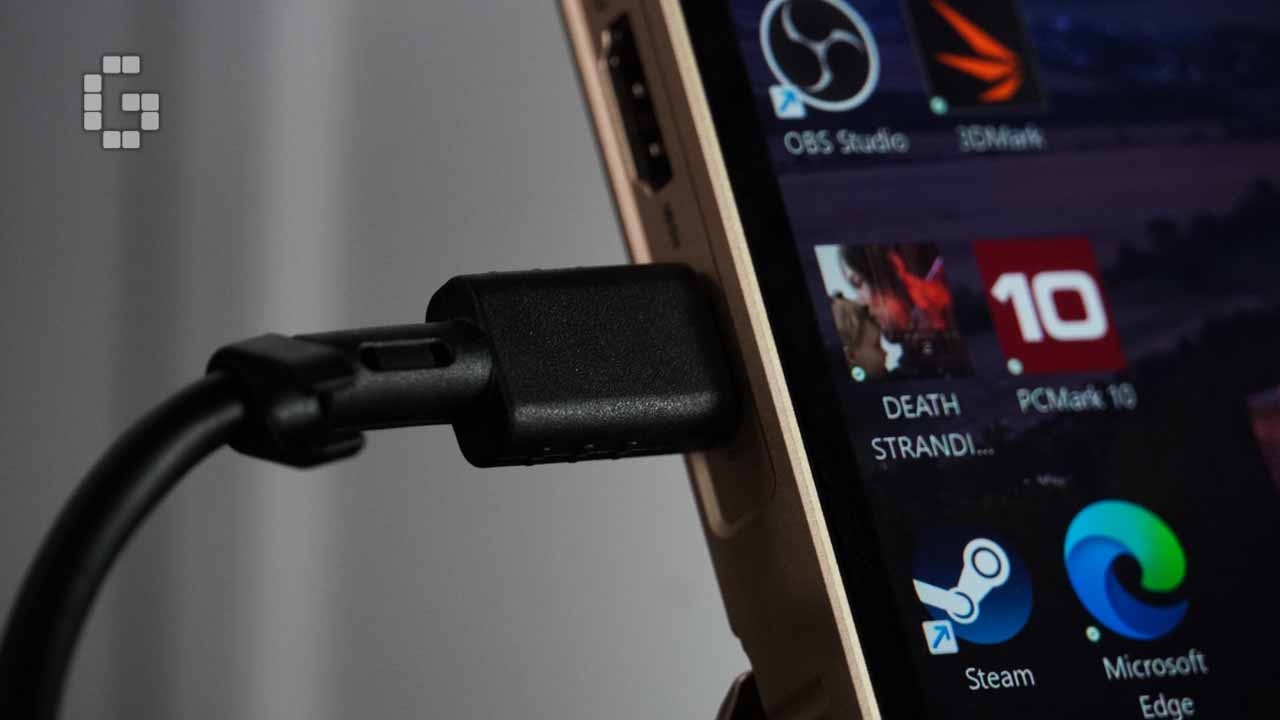
The slim chassis does not come at the cost of connectivity. The Z13-KJP includes two USB4 Type-C ports with PD charging and DisplayPort 2.1 output, one HDMI 2.1 port supporting 4K at 144Hz, one USB-A 3.2 Gen2 port, a UHS-II MicroSD card slot, and a 3.5mm audio jack. By ultraportable standards, this is a well-rounded selection. The one practical limitation is having only a single USB-A port, which creates some friction when simultaneously connecting a mouse, external keyboard, and a portable drive. This came up more often than expected during heavier desktop-style use.
The machine also supports ROG’s XG Mobile external GPU dock, which opens a path to desktop-class graphics performance when stationary use demands it. Wireless connectivity is handled by MediaTek Wi-Fi 7 and Bluetooth 5.4, which performed reliably across file transfers, video streaming, and cloud sync throughout testing.
Thermals and Fan Noise
Getting a high-performance processor into a 12mm chassis is a tight engineering challenge. The Z13 manages it with a second-generation Arc Flow fan design, a large vapor chamber, and liquid metal thermal compound on the CPU. Under sustained workloads including large application runs and multi-stream editing, the fan noise stayed composed and free from the sudden sharp spin-ups that can make thin gaming machines uncomfortable over time. Surface temperatures stayed within acceptable limits, and heat concentration stayed largely at the rear panel, keeping the keyboard area and palm rest cool during typical use. Armoury Crate provides quick access to Silent, Performance, and Turbo fan profiles, making it easy to balance noise and output for the task at hand.
Performance
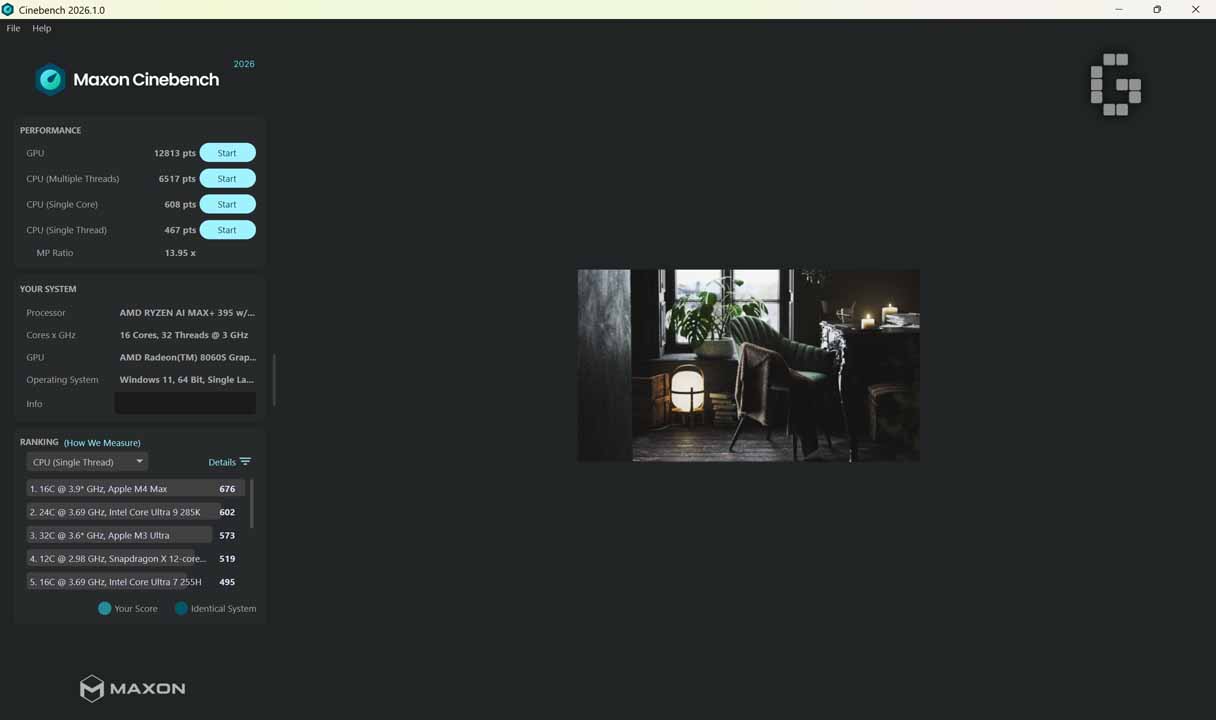
The review unit runs an AMD Ryzen AI Max+ 395 with 16 cores and 32 threads at a 3GHz base clock, an AMD Radeon 8060S integrated GPU, and 128GB of unified shared memory on Windows 11 64-bit.
In Cinebench 2026, the chip posted a multi-core score of 6,517, a single-core score of 467, a GPU render score of 12,813, and a multi-core ratio of 13.95x. The single-core score of 467 sits in the mid-tier of current flagship processors such as the Apple M4 Max which leads at 676, followed by the Intel Core Ultra 9 285K at 602, and the Ryzen AI Max+ 395 sitting alongside the Snapdragon X Elite and Core Ultra 7 255H. This reflects an efficiency-focused design rather than a focus on peak single-thread speed. The multi-core score is the more telling result: 6,517 with a 13.95x MP Ratio points to well-balanced parallel scheduling across all 16 cores without frequency collapse under sustained load, which is notable given the thermal limits of this form factor.
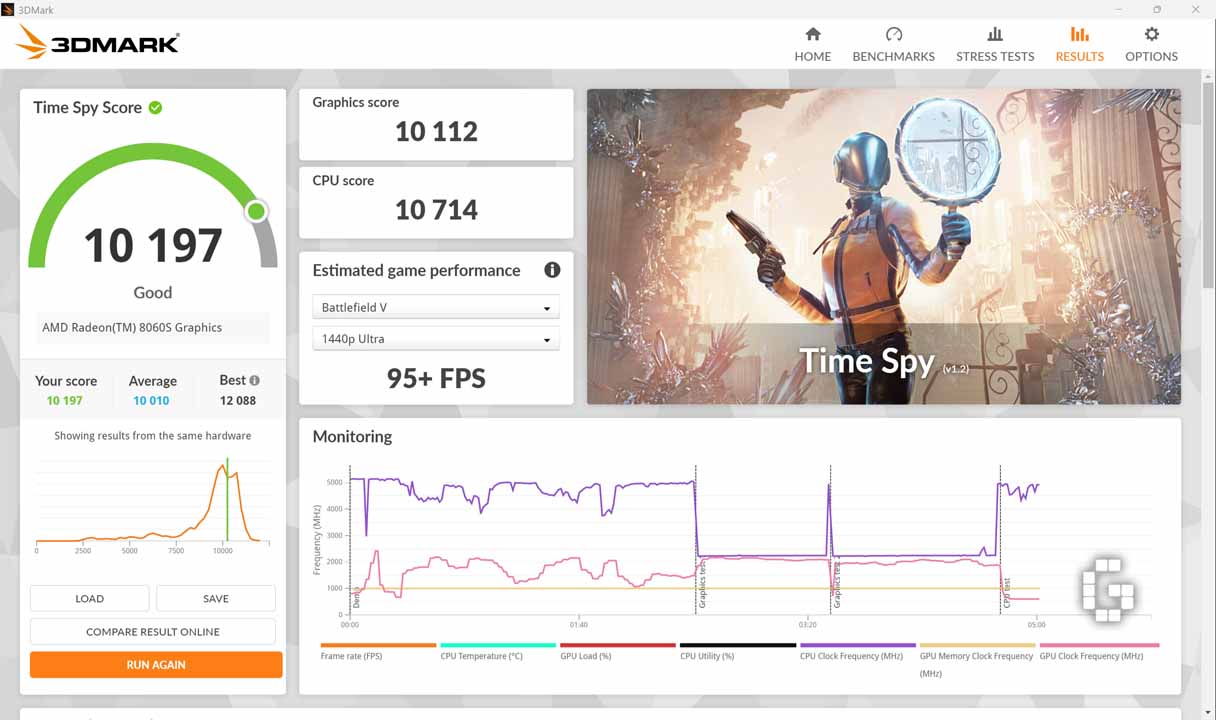
3DMark Time Spy returned a total score of 10,197, with a graphics score of 10,112 and a CPU score of 10,714, earning a “Good” rating and landing slightly above the 10,010 average for identical hardware. GPU clock speeds held steady between 4,500 and 5,000MHz throughout the graphics tests without significant drops. 3DMark’s estimated game performance projects 95+ FPS in Battlefield V at 1440p Ultra, a number that makes more sense when you consider that the Radeon 8060S draws from the same 128GB unified memory pool as the CPU, removing the VRAM ceiling that constrains discrete GPU options at lower memory configurations.
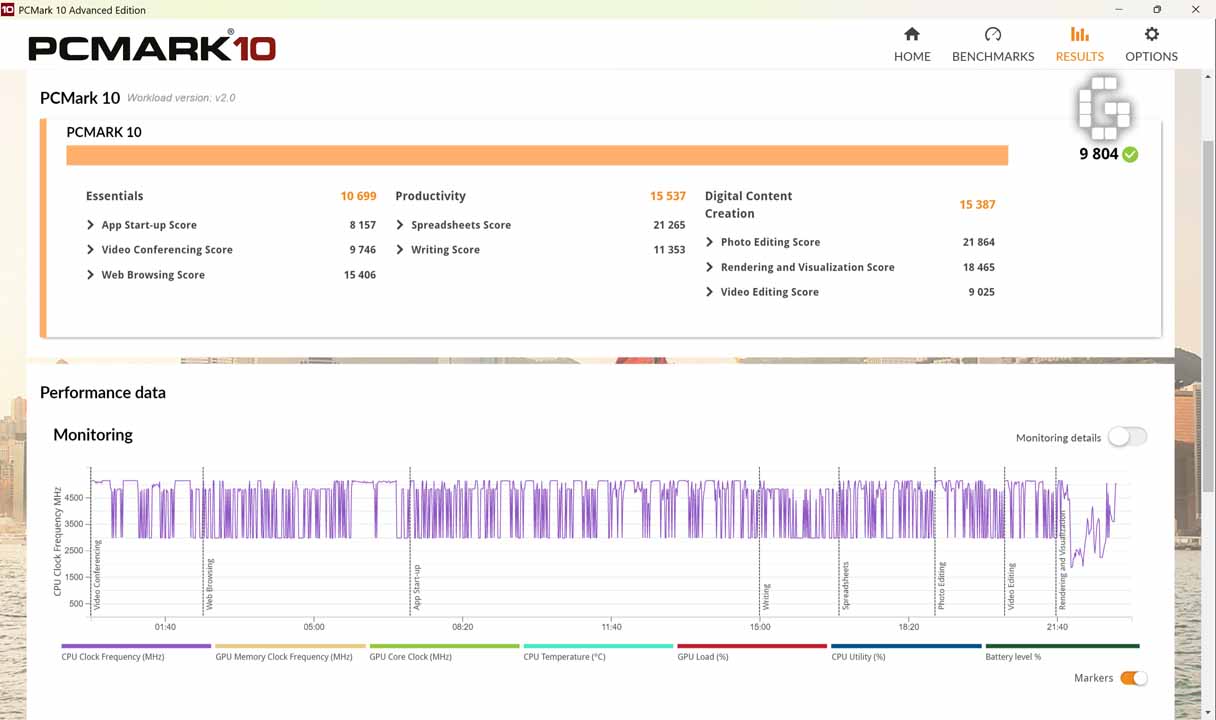
PCMark 10 delivered an overall score of 9,804, placing it at the top tier of consumer laptops in general productivity testing. The Productivity sub-score of 15,537 was the strongest of the three categories, with Spreadsheets reaching 21,265 which is a result tied to the chip’s large L3 cache and the high memory bandwidth of the unified architecture. Digital Content Creation scored 15,387, with Photo Editing at 21,864 and Rendering and Visualization at 18,465 indicating solid capability for Lightroom batch processing and Blender preview rendering. The relative weakness is Video Editing at 9,025, which reflects the Radeon 8060S’s hardware acceleration limitations with professional codec formats including AV1 and ProRes. This is the clearest constraint on the platform for dedicated video production workflows. Throughout the roughly 22-minute test, CPU clock speeds oscillated consistently between 3,500 and 4,500MHz without significant sustained drops, confirming stable thermal management under continuous load.
Gaming Performance
All gaming tests were run in Turbo mode while plugged in, at the device’s native 2560×1600 resolution. The results were more encouraging than the integrated GPU label might suggest.
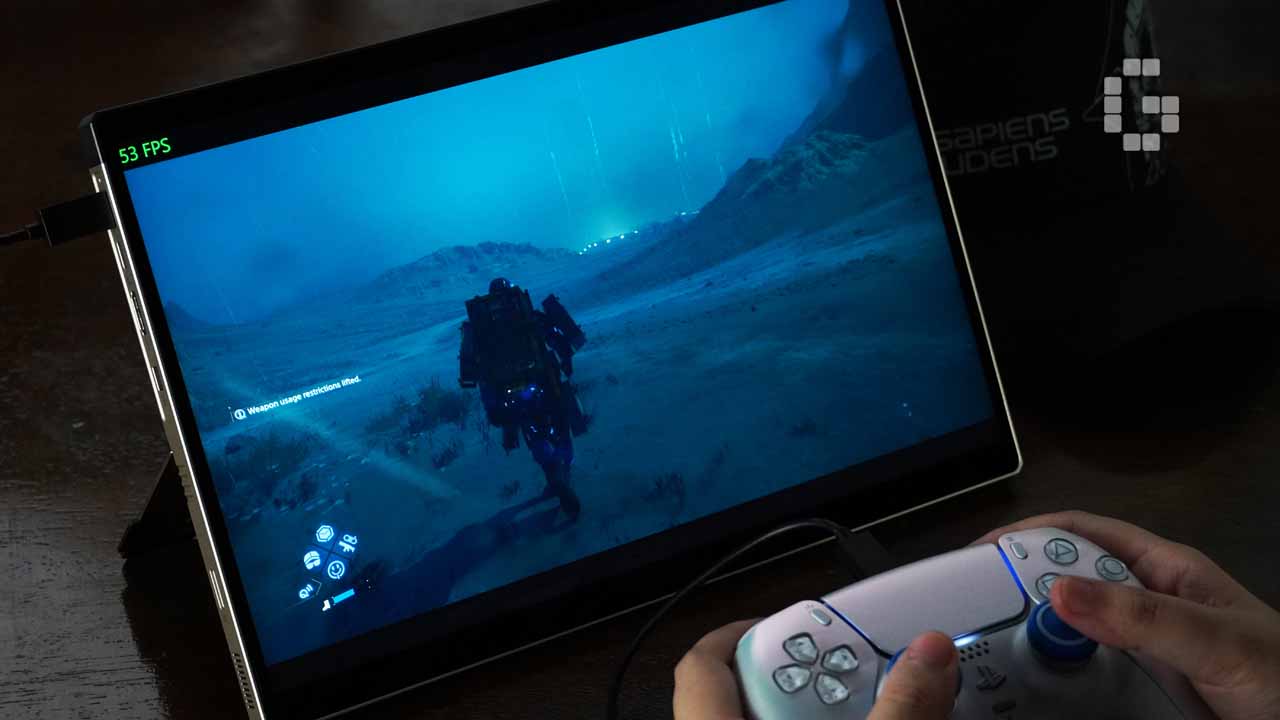
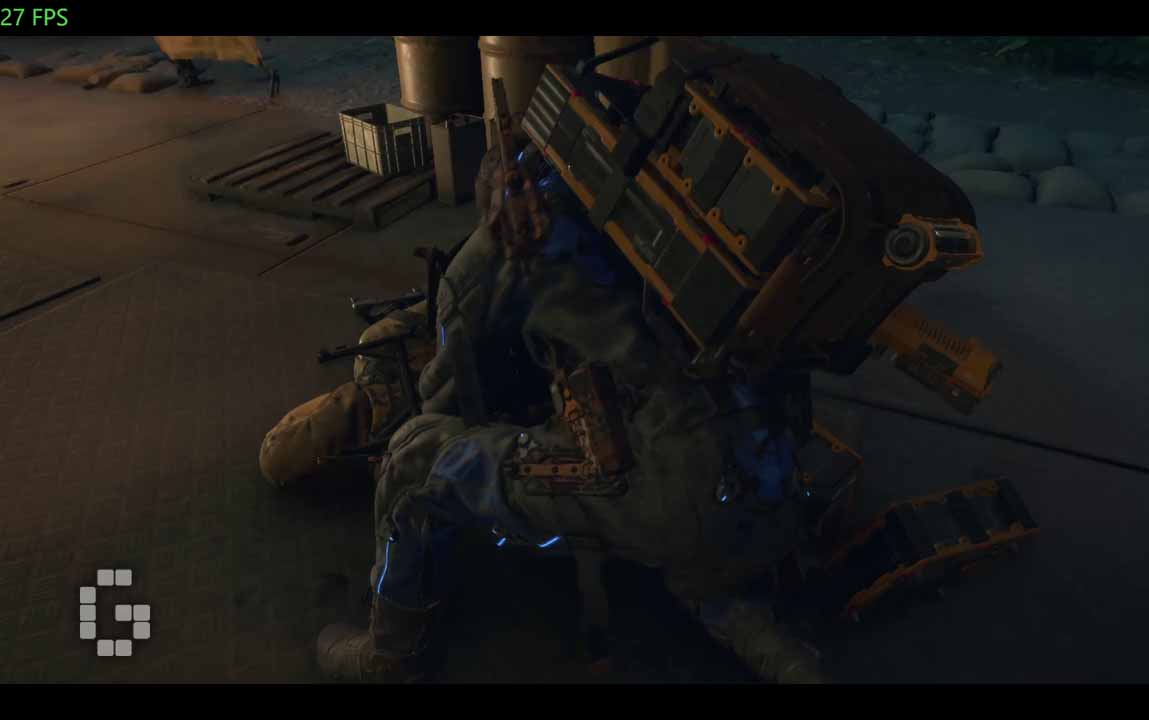
Death Stranding 2 is the obvious title to start with given the collaboration. At Very High (maximum) settings, frame rates hold at a stable 25 to 30fps, with static or low-activity scenes reaching around 45fps. Dropping to High settings brings the average up to around 40fps, with simpler scenes occasionally going above 70fps and dynamic sequences holding between 25 and 30fps consistently without sharp drops or stuttering. For a smooth, stable experience across the board, Medium settings is the practical sweet spot, holding around 50fps even through dynamic combat.
Where Winds Meet performed impressively at Ultra, the highest available preset. Multiplayer scenarios introduced occasional light dips, but single-player mode ran nearly flawlessly throughout, with frame rate variance during active combat remaining small enough to have no real impact on the experience.

Crimson Desert was the heaviest load in the test set. At Cinematic and Ultra settings, frame rates settled in the 20 to 25fps range, which falls short of comfortable playability. Dropping to High settings brought performance up to around 40fps with dynamic scenes sustaining above 30fps which is a reasonable trade-off given how demanding this title is. High settings is the practical operating point on this platform for this game.
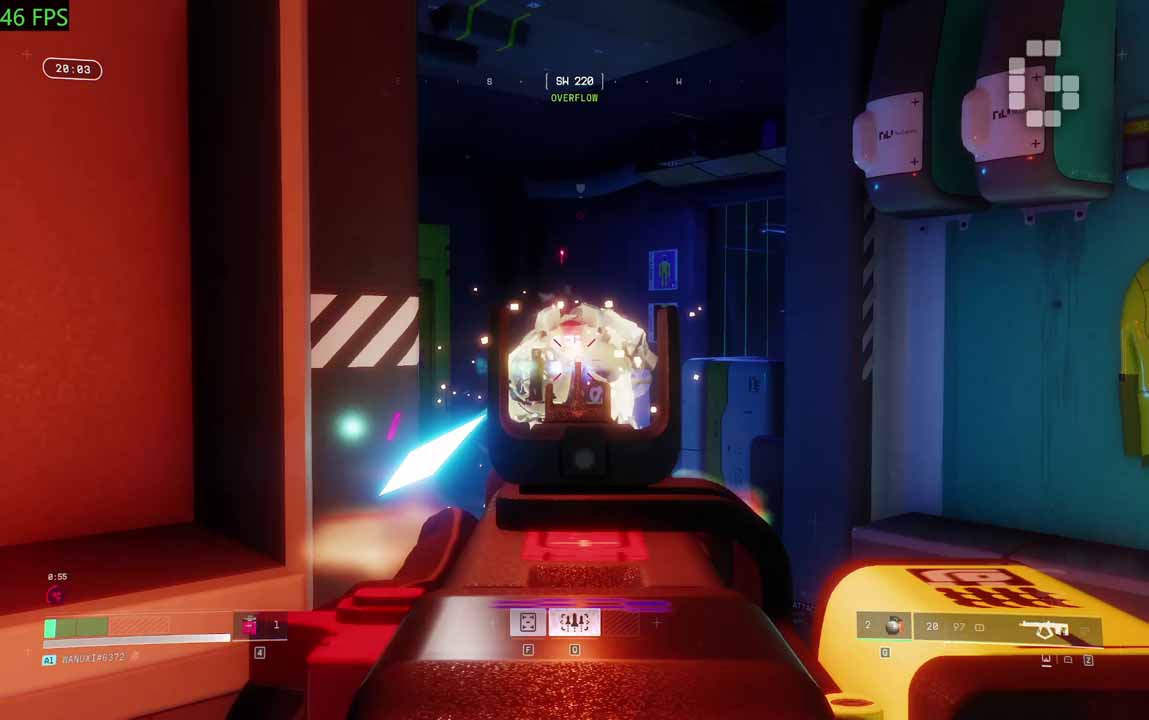
Marathon was the most consistent performer of the group. At Highest settings, frame rates held steadily around 50fps, dipping only to approximately 45fps during active combat. The frame rate curve across the session was notably flat, with the kind of stability that makes the experience feel smoother than the raw numbers alone suggest.
Across all titles tested, the Radeon 8060S demonstrates that integrated graphics paired with a large unified memory pool can deliver a genuinely playable experience at high resolutions in current-generation AAA titles. The 128GB memory advantage is most apparent in open-world and high-asset-density scenes, which are exactly the scenarios where discrete GPUs with smaller VRAM budgets tend to struggle. Demanding titles at maximum settings will find the ceiling on this platform, but for the range of games most people actually play day to day, the results here make a legitimate case.
Verdict
The ROG Flow Z13-KJP is genuinely hard to put in one box. It is a gaming tablet, a collector’s object, a productivity machine, and a co-branded collaboration that actually respects the creative partnership it claims. The Ryzen AI Max+ 395 delivers multi-core and productivity performance that competes with traditional high-performance laptops, and the Radeon 8060S performs well above what most people expect from integrated graphics. The detachable keyboard, 170-degree kickstand, and full port selection make the two-in-one format feel practical rather than a compromise.
The real limitations are the single-core performance gap compared to Apple and Intel’s top-end chips, the professional video codec constraints that limit it for dedicated video production, and the single USB-A port that becomes a minor inconvenience in heavier desktop setups.
Whether the KJP edition justifies its premium over the standard Z13 comes down to how much design matters to you as part of the value. The hardware is identical between both versions. The KJP premium is the machined grooves in the aluminum, the carbon fiber texture, the micro-text annotations, and the story that comes with all of it. For anyone who sees a well-made device as more than a spec sheet, the ROG Flow Z13-KJP is one of the few machines currently available that earns its keep before you even turn it on.