









![[EXCLUSIVE] Dragon’s Dogma 2: Dark Arisen Team Opens Up About the Expansion’s Name, New Norgan Region, and Performance Goals](https://cdn.gamerbraves.com/2026/07/Dragons-Dogma-2-Dark-Arisen_Interview_FI-360x180.jpg)





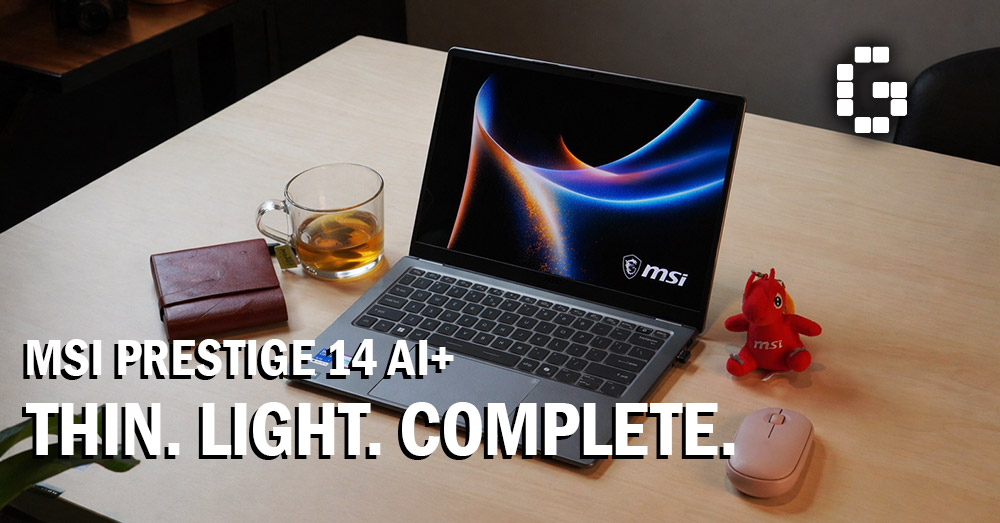
There’s something refreshing about a laptop that doesn’t try to be everything. No RGB strips. No aggressive vents. No dragon logo plastered on the lid. The MSI Prestige 14 AI+ walks into the room quietly, and somehow, that makes it more interesting. The business ultrabook space has gotten crowded. Every brand is promising the same things: lighter, thinner, longer battery. Most of them deliver on paper and disappoint in practice. MSI is betting that the Prestige 14 AI+ is different. After spending time with it, here’s what you actually need to know.
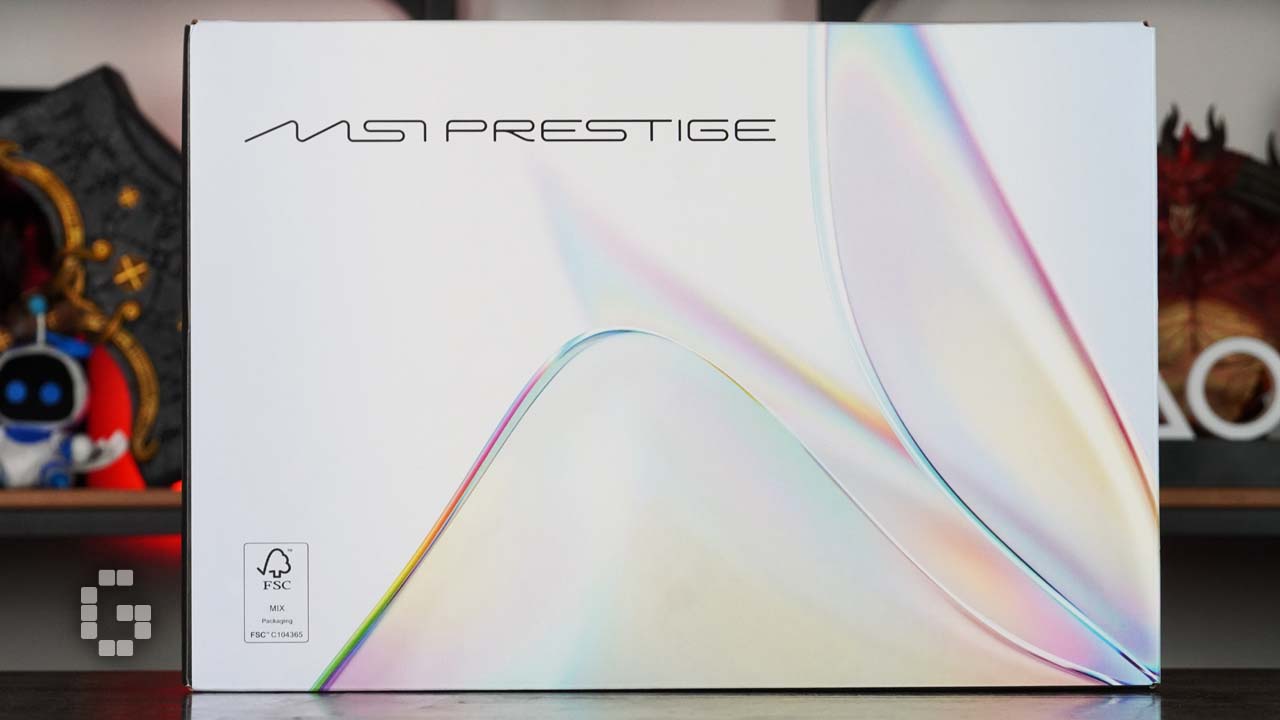
Before you even open the laptop, the packaging sets the tone. This is a white, minimalist box with a flowing iridescent pattern at the centre, the kind that shifts colour depending on the angle you’re looking at it. It looks like mother-of-pearl or the aurora borealis, and it’s a small but smart detail that signals what kind of product this is.
Inside, things are kept simple. You get the laptop, a manual, and a 65W charger. That charger is worth talking about right away. It uses a Type-C connector and is roughly the size of a large phone charger. If you’ve ever groaned at lugging around a heavy power brick, this one will put a smile on your face.
Design and Build: A New Identity
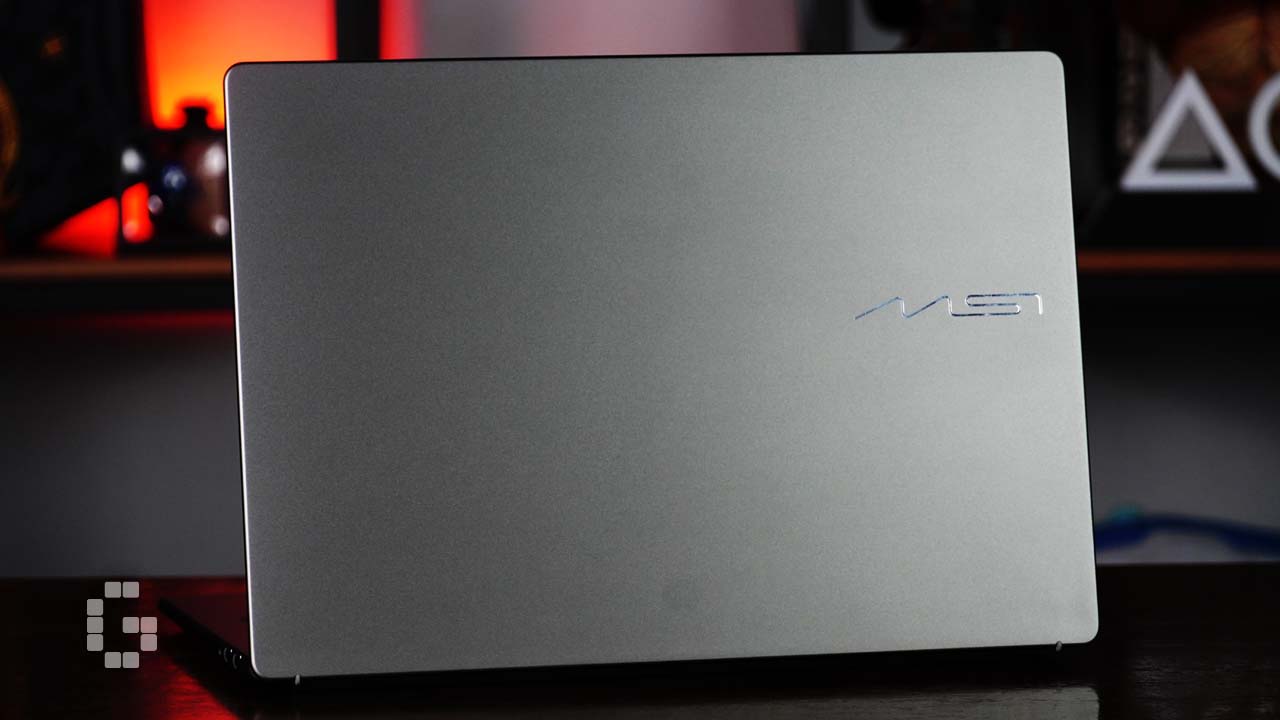
The Prestige 14 AI+ comes in Platinum Gray, which in person reads more like a bright silver-gray with a subtle metallic sheen. The entire chassis is aluminium alloy, smooth to the touch, and impressively resistant to fingerprints. It feels premium the moment you pick it up.
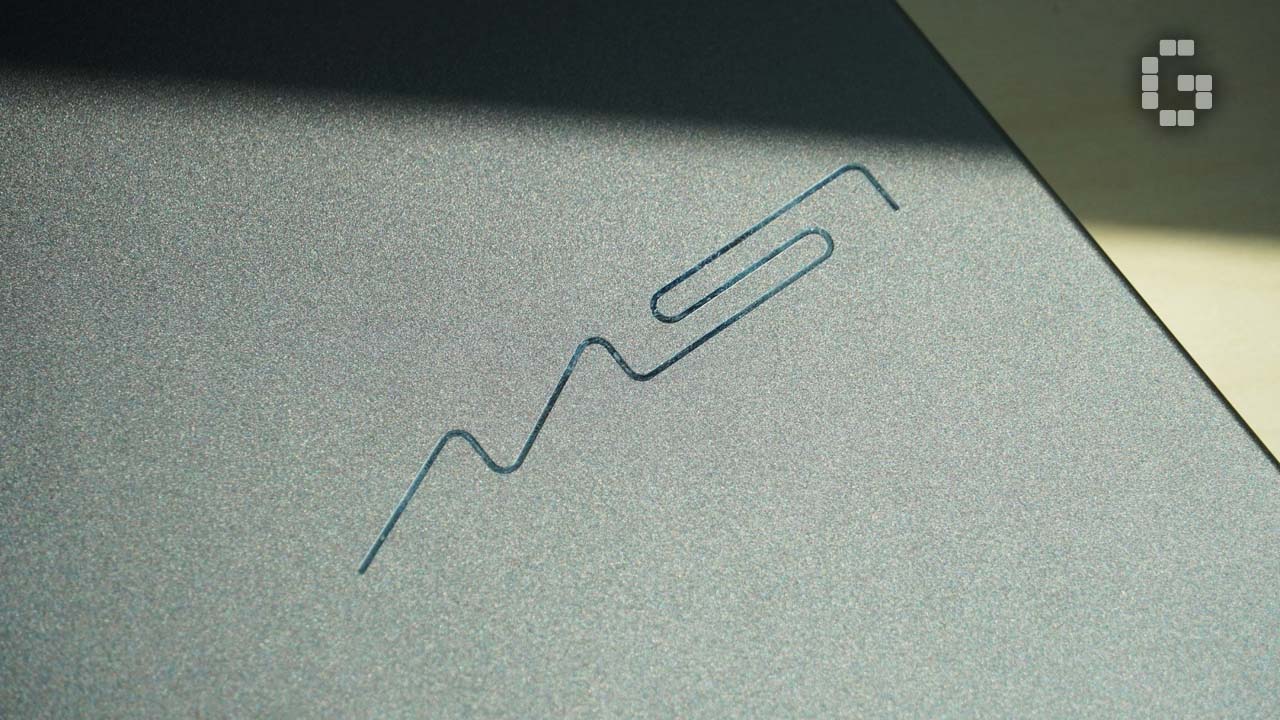
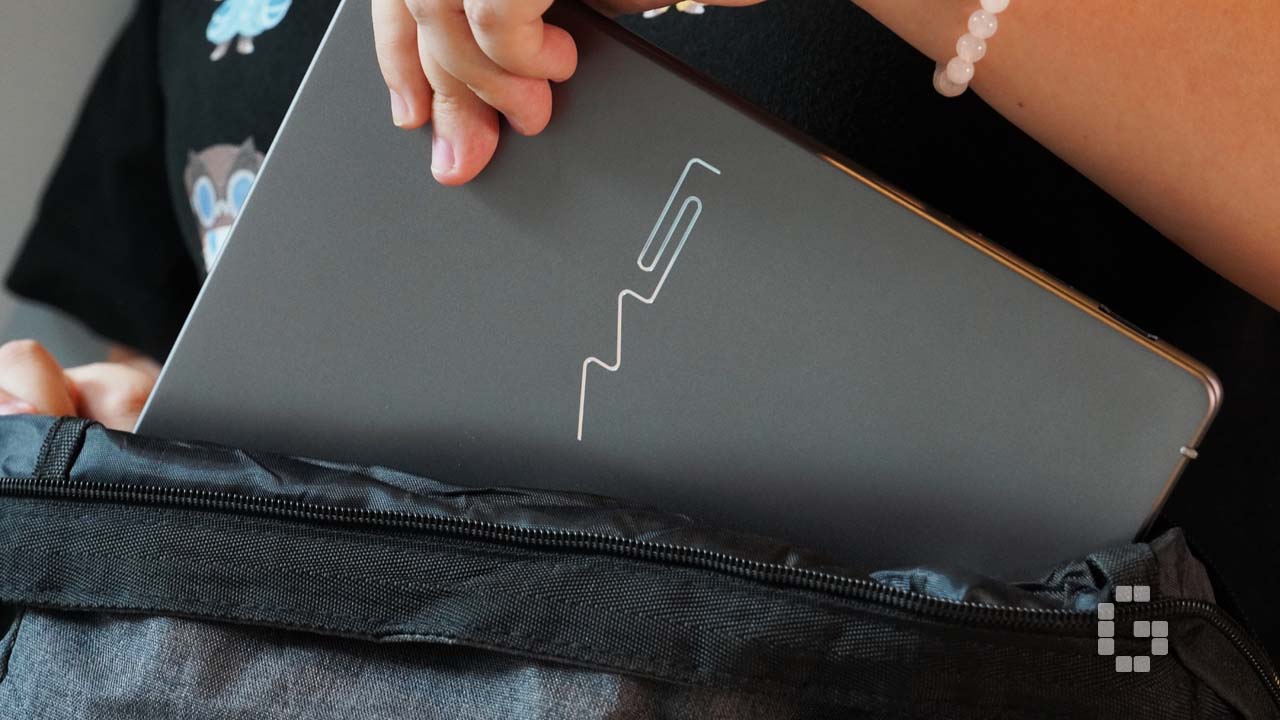
One of the boldest moves MSI made here is ditching the Dragon Shield logo entirely. The new emblem is an abstract design that represents the letters M, S, and I using a single continuous line of equal width. It looks like a precisely drawn circuit with clean geometric lines. On the matte aluminium surface, the logo’s polished finish creates a nice material contrast, catching light in a subtle but eye-catching way. It fits right in whether you’re sitting in a business meeting or working in a creative studio.
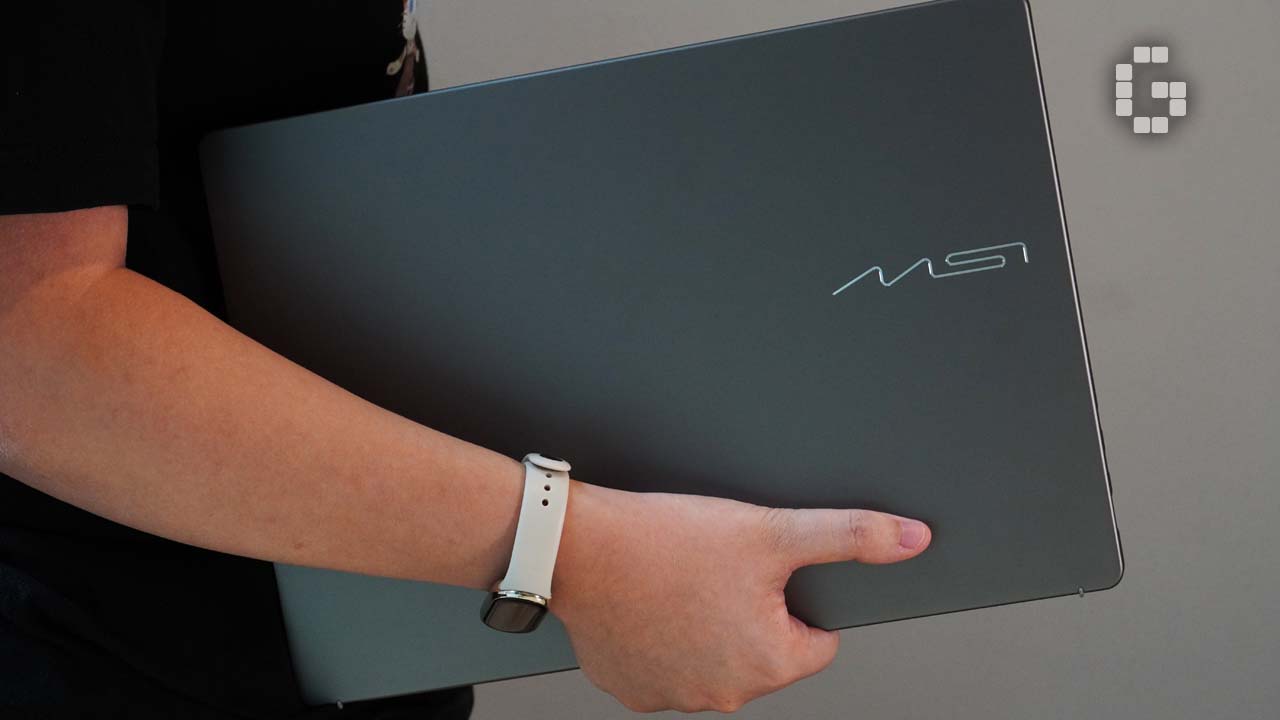
Then there’s the weight. At 1.32kg and 11.9mm thick, the numbers look good on a spec sheet, but holding it is a different experience altogether. It genuinely feels closer to picking up a tablet than a laptop. The rounded edges make it comfortable to grip, and for thickness reference, it’s roughly comparable to an iPhone 17 Pro Max in a protective case. That’s impressively thin for a machine with this much inside it.
The 14-inch form factor is kept compact thanks to slim bezels and a rounded design language, giving it a 90% screen-to-body ratio. The screen never feels cramped, and the laptop never feels oversized.
Display: The OLED Does Its Job
The Prestige 14 AI+ uses a 14-inch OLED FHD+ panel at 1920×1200 resolution in a 16:10 aspect ratio. It covers 100% of the DCI-P3 colour gamut, comes with low blue light and flicker-free certification from SGS, and the results are easy to see in everyday use.
Colours are rich and accurate. Blacks are true blacks, not the dark grey you get from a standard LCD. Contrast is excellent. Whether you’re working through a spreadsheet, touching up photos, or watching something on a long flight, the display holds up throughout. The low blue light performance is also genuine. After extended sessions, eye fatigue is noticeably reduced compared to conventional screens.
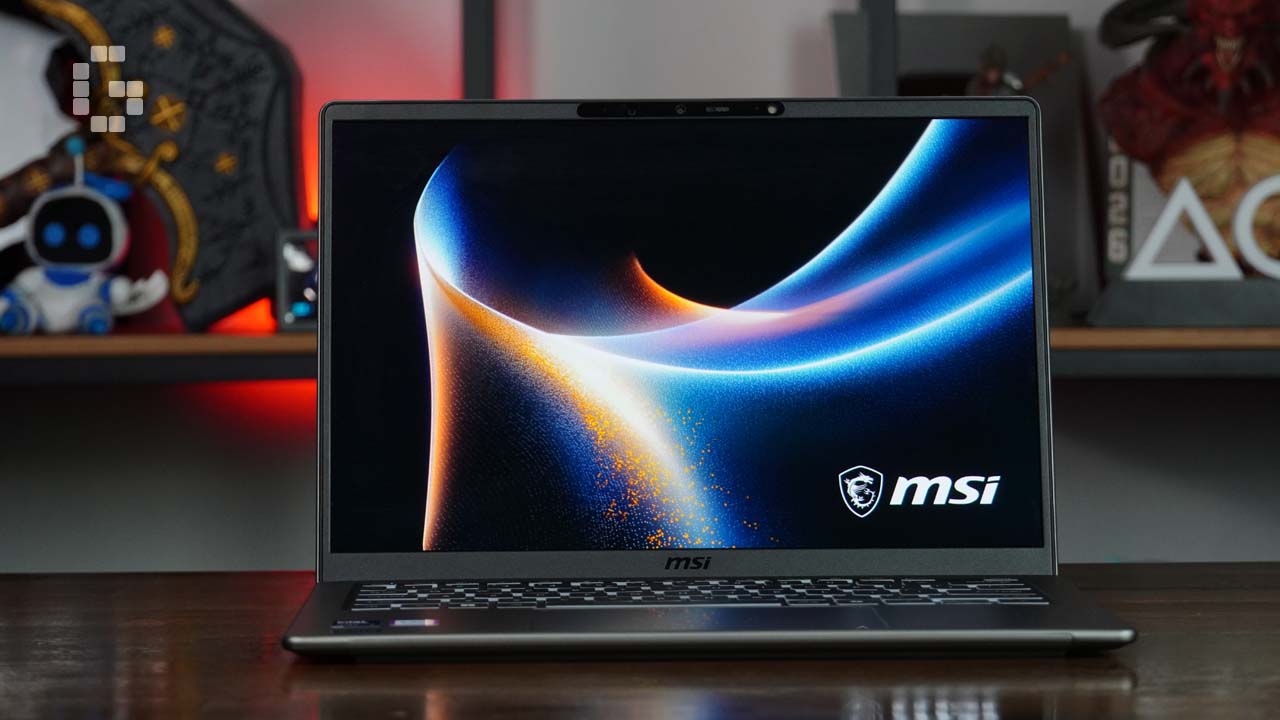
One practical detail worth highlighting is the hinge. It opens to an almost completely flat position, which is great for people who work in different environments and postures. Whether you’re at a desk, standing, or sitting back on a sofa, you can adjust the screen to exactly where you need it.
Performance and Cooling: Smooth for What It’s Built For
The unit runs on an Intel Core Ultra 7 355, part of the Intel Core Ultra 300 series. It supports Copilot+ PC and delivers NPU performance of up to 49 TOPs. For the everyday workload this laptop is designed for, it handles things well. Running Chrome with multiple tabs open, Photoshop, WhatsApp, and Word at the same time produces no noticeable lag. The fans stay quiet under these conditions, with only the faintest hint of activity.
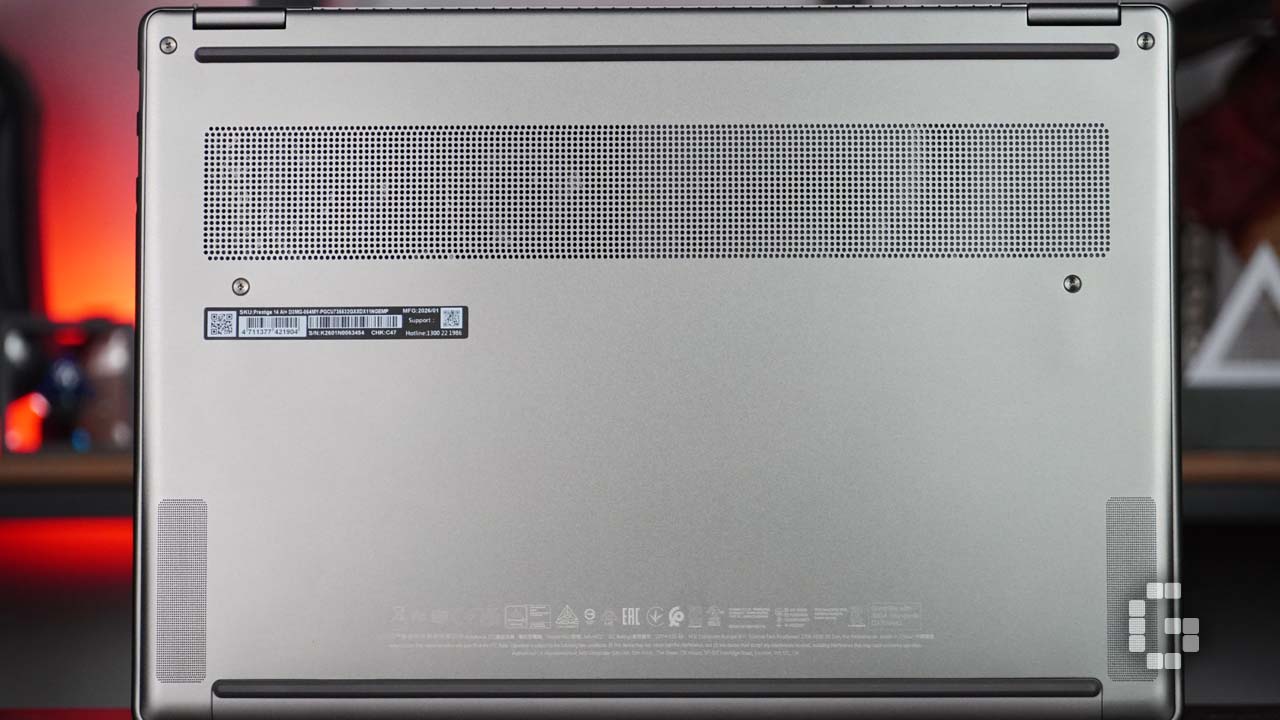
Push it harder with video editing or gaming, and the fans will ramp up significantly. It gets loud. That said, this is a business ultrabook, not a workstation, and that behaviour is entirely expected. On the cooling side, MSI uses a dual-fan setup with an Intra Flow Vapor Chamber cooler. Official numbers put noise levels at as low as 18 dBA during everyday use and below 26 dBA under full load, which lines up with the real-world experience during lighter tasks.
MSI Center S: Software That Actually Helps
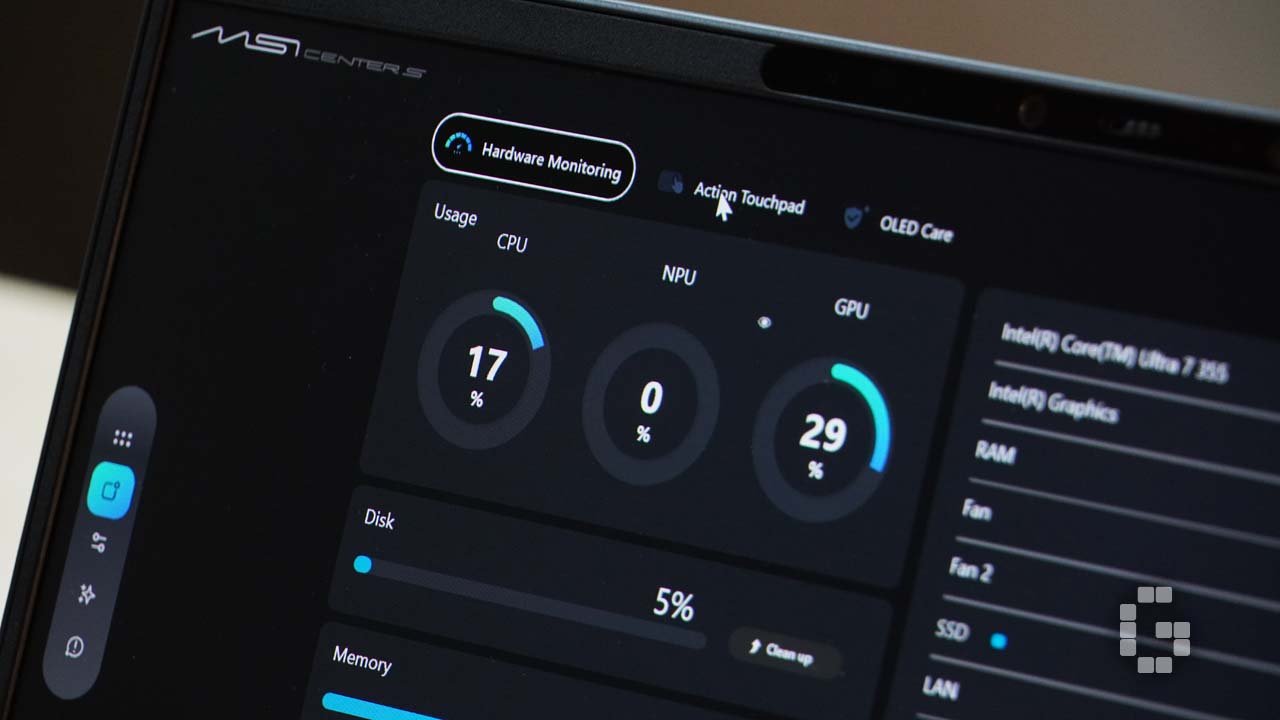
The Prestige 14 AI+ ships with the newly redesigned MSI Center S, and the improvement over previous versions is clear. The interface is cleaner and more intuitive. Settings are easy to find without digging through layers of menus.
Two features stand out. The AI Engine monitors what you’re doing in real time and automatically adjusts hardware settings to match. You don’t need to switch performance profiles manually. It reads your usage and adapts, whether that means saving battery during a video call or boosting performance during a creative task.
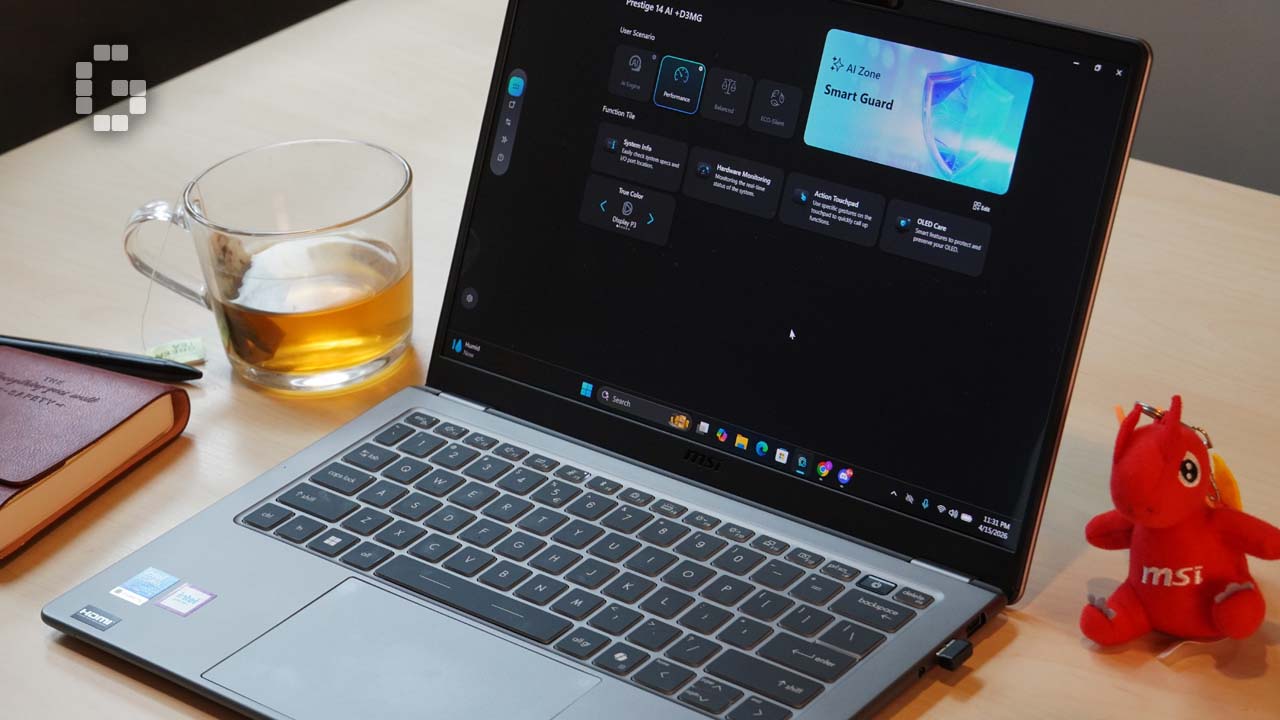
AI Zone brings all AI-powered tools together in one place, including AI Noise Cancellation Pro, Smart Brightness, and Studio Effects. Everything is accessible from a single hub, which is a practical design choice for users who don’t want to hunt through multiple menus.
Overall, MSI Center S feels like a tool that earns its place on the system rather than software that just takes up space.
Battery Life: Honest Numbers
MSI rates the Prestige 14 AI+ at up to 24 hours of battery life. In testing with continuous video streaming at 100% brightness and 50% volume for five hours, battery consumption came in at around 40%. That points to a real-world endurance of roughly 12 to 13 hours under similar conditions.
Hitting 24 hours through heavy multitasking is not realistic, but that’s true of virtually every laptop carrying such a claim. Those figures come from controlled, optimised test conditions. What matters is that the Prestige 14 AI+ can comfortably get you through a full working day without needing to plug in. And when you do need to charge, the compact 65W charger is light enough that it barely registers in your bag.
Keyboard and Touchpad: Comfortable With One Note
The keyboard has 1.7mm of key travel with good tactile feedback. The layout is well-spaced and the accidental keypress rate during normal typing is low. One caveat is that users with larger hands may find the 14-inch keyboard a little on the small side and might need a short adjustment period.
The Velvet-touch keycaps are a standout. They have a smooth, silky feel and resist fingerprints well. Even after long typing sessions, the keyboard stays clean, and any marks wipe away easily. The white backlight is functional but nothing special.
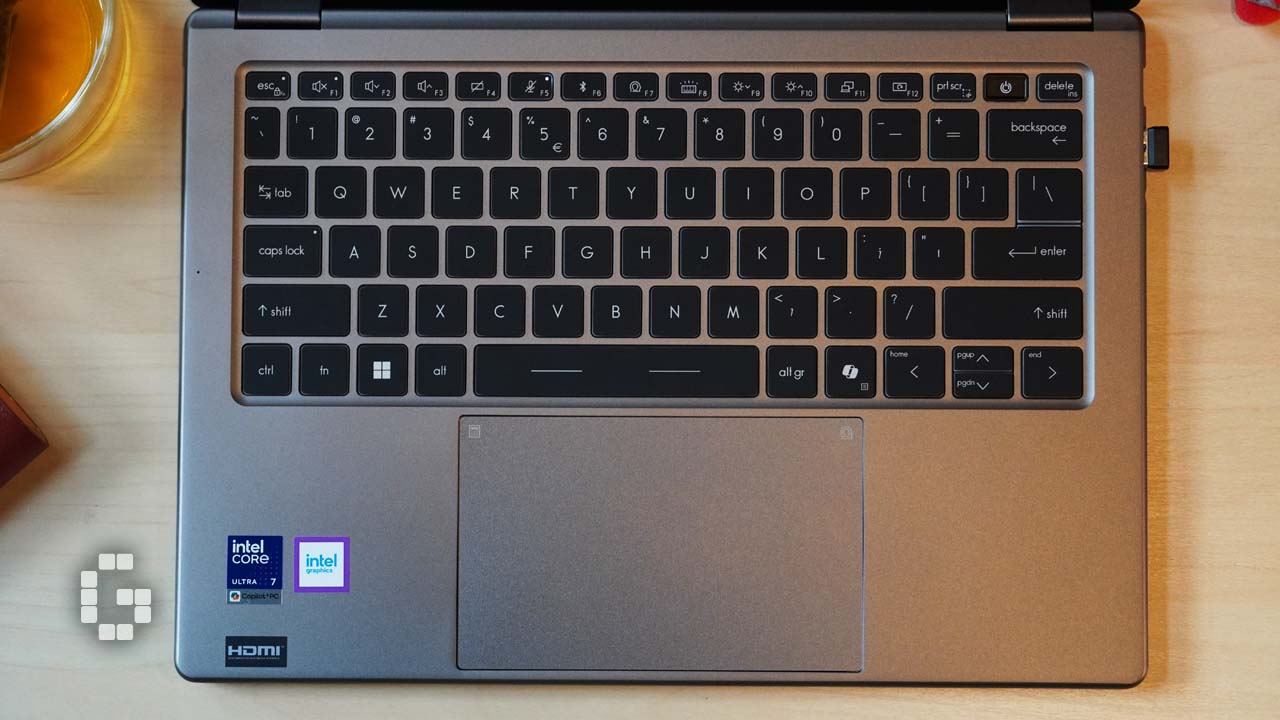
The touchpad is 53% bigger than the previous generation, smooth, and precise. It also supports customizable edge gestures through the Action Touchpad feature. You can set these gestures to open MSI Center S, launch the calculator, adjust brightness or volume, scrub through video timelines, or switch between pages, with further customization available based on your workflow. Most of these things can also be done with keyboard shortcuts, but having them on the touchpad is a nice addition for people who prefer that style of input.

Ports: No Dongle Required
For an 11.9mm chassis, the port selection is surprisingly complete. You get two Thunderbolt 4 ports with DisplayPort 2.1 and Power Delivery 3.0, two USB 3.2 Gen2 Type-A ports, one HDMI 2.1 port capable of 8K at 60Hz, a Micro-SD card reader, and a Kensington lock slot.
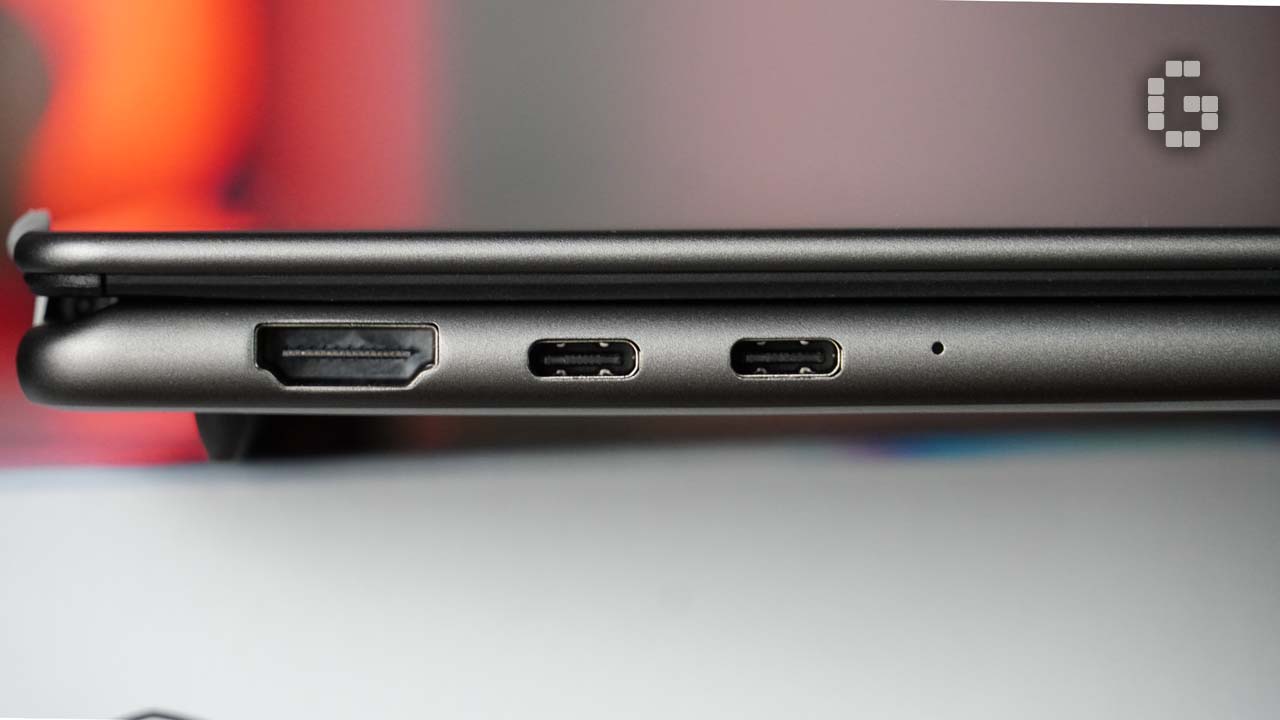
Two Thunderbolt 4 ports alongside two USB-A ports covers virtually every business connectivity need. External displays, file transfers, peripherals, all handled without needing an extra hub or dongle. For a laptop this thin, that is a genuinely strong port lineup.
Verdict
The MSI Prestige 14 AI+ is a well-executed business ultrabook that delivers on its core promise. The weight is real, the build is solid, the OLED display is excellent, and day-to-day performance is smooth and quiet. The compact charger, complete port selection, and thoughtful software make it easy to recommend for professionals and creatives who work on the go.
A few things are worth knowing before buying. Real-world battery life falls short of the 24-hour figure under heavier use, though it handles a full workday without issue. Users with larger hands may find the keyboard slightly cramped. Fan noise becomes noticeable under demanding workloads. The backlight is unremarkable. None of these are deal-breakers, but they are honest points to consider.

At RM6,099, the Prestige 14 AI+ sits in the premium ultrabook segment, and the value holds up. An OLED display, full aluminium chassis, Intel Core Ultra 300 series processor, and a complete I/O setup in a 1.32kg package is a combination that justifies the price for the right buyer. If your days involve office work, photo editing, meetings, and frequent travel, this laptop was built with you in mind.
The MSI Prestige 14 AI+ is now available at MSI official store. Visit the official website for more details.
| Spec | Content |
| Model Name | Prestige 14 AI+ D3MG-064 |
| Processor | Intel® Core™ Ultra 7 355 |
| Operating System | Windows 11 Home(MSI recommends Windows 11 Pro for business) |
| Memory | LPDDR5x 32GB |
| Display | 14" FHD+(1920 x 1200),OLED,100% DCI-P3(Typ.),Low Blue Light & Flicker-free(SGS认证) |
| Graphics | Intel® Arc Graphics |
| Storage Slots | 1 x NVMe M.2 SSD(PCIe Gen4) |
| Keyboard | Single Backlit Keyboard(White)with Copilot Key |
| Security | dTPM 2.0 / Fingerprint Reader / IR Webcam / Webcam Shutter / Smart Guard |
| Sensor | Ambient Light Sensor / Adaptive Color Sensor |
| Communication | Intel® Killer™ Wi-Fi 7 / Bluetooth v6 |
| Audio | 2 x 2W Stereo Speakers + 2 x 2W Woofers / Audio combo jack / DTS Audio Processing / 3 Mic / Hi-Res Audio Ready |
| I/O Ports | 2 x Thunderbolt™ 4(DP / PD 3.0) / 2 x USB 3.2 Gen2 Type-A / 1 x HDMI™ 2.1(8K@60Hz / 4K@120Hz) / Audio combo jack |
| Battery | 4-Cell, Li-Polymer, 81Whr |
| Webcam | IR FHD(1080p@30fps),HDR & 3D Noise Reduction+ |
| Dimension | 315.6 x 221.95 x 11.9–13.9 mm |
| Weight | 1.32 kg |
| Color | Platinum Gray |