


![[EXCLUSIVE] Dragon’s Dogma 2: Dark Arisen Team Opens Up About the Expansion’s Name, New Norgan Region, and Performance Goals](https://cdn.gamerbraves.com/2026/07/Dragons-Dogma-2-Dark-Arisen_Interview_FI-360x180.jpg)











![[GUIDE] Pokémon Champions — How to Transfer Pokémon From Pokémon Home Into Pokémon Champions](https://cdn.gamerbraves.com/2026/04/Pokemon-Champions-Pokemon-Home-Guide_Guide_FI.jpg)
Building your dream team in Pokémon Champions can be both exciting and challenging. While recruitment through VP (Victory Points) or permanent tickets allows players to obtain new Pokémon, the randomness of these methods can make assembling a precise, competitive roster difficult. Fortunately, players can now import trusted Pokémon from other titles—such as Pokémon Legends Z-A, Pokémon Scarlet/Violet, and even Pokémon GO—via Pokémon Home, enabling a more strategic and personalised approach to team-building.
How to Transfer Pokémon From Pokémon Home to Pokémon Champions
Transferring Pokémon from Pokémon Home into Pokémon Champions allows players to build a stronger and more precise team without relying entirely on VP recruitment or permanent tickets. Follow the steps below to move your Pokémon successfully.
Step 1: Deposit Your Pokémon Into Pokémon Home
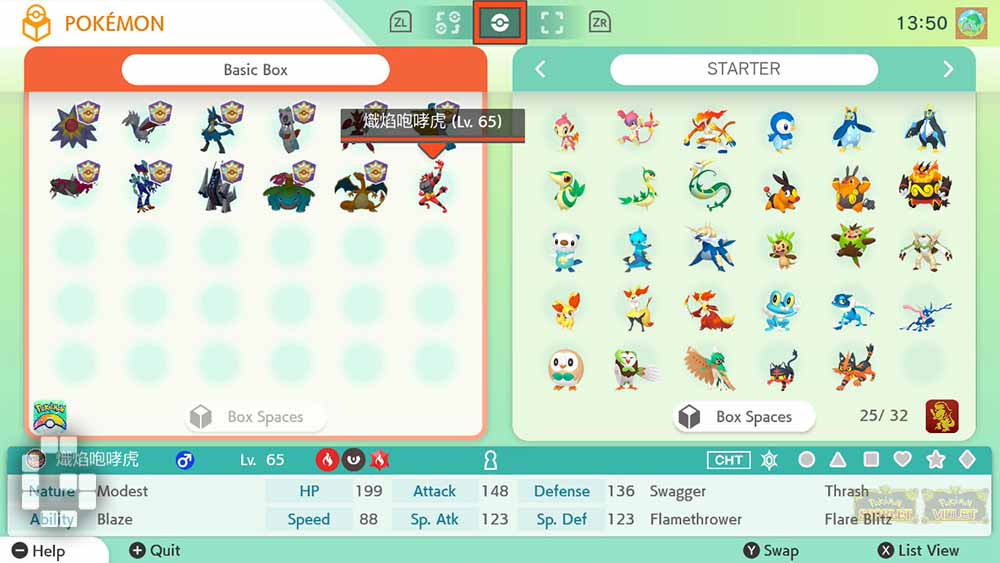
Open Pokémon Home and transfer the Pokémon you want to use from supported titles such as Pokémon Legends Z-A, Pokémon Scarlet, Pokémon Violet, or Pokémon GO into your Pokémon Home storage.
Step 2: Link Pokémon Champions to Pokémon Home
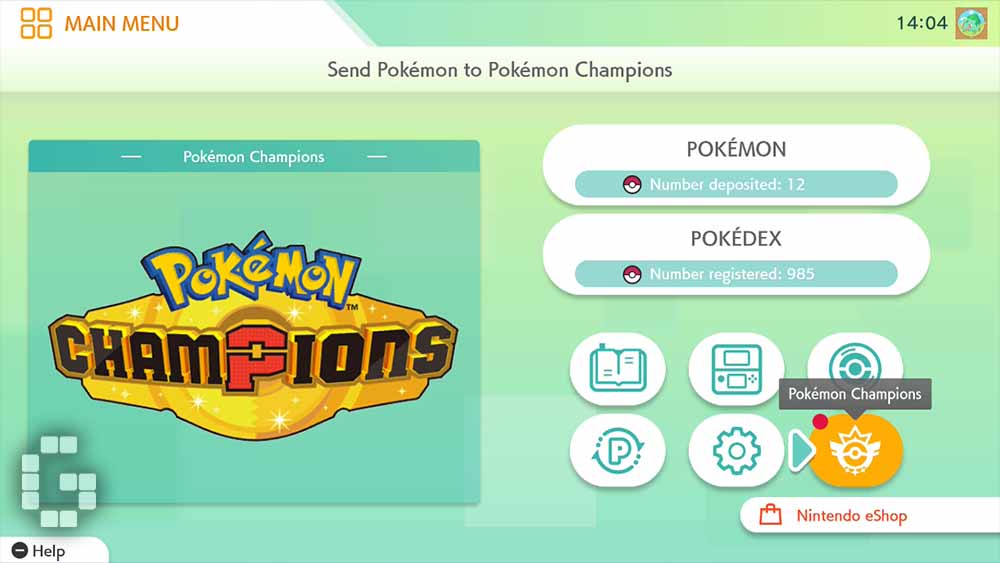
Launch Pokémon Champions and connect your account to Pokémon Home through the in-game integration interface.
Step 3: Select Pokémon to Send to Pokémon Champions
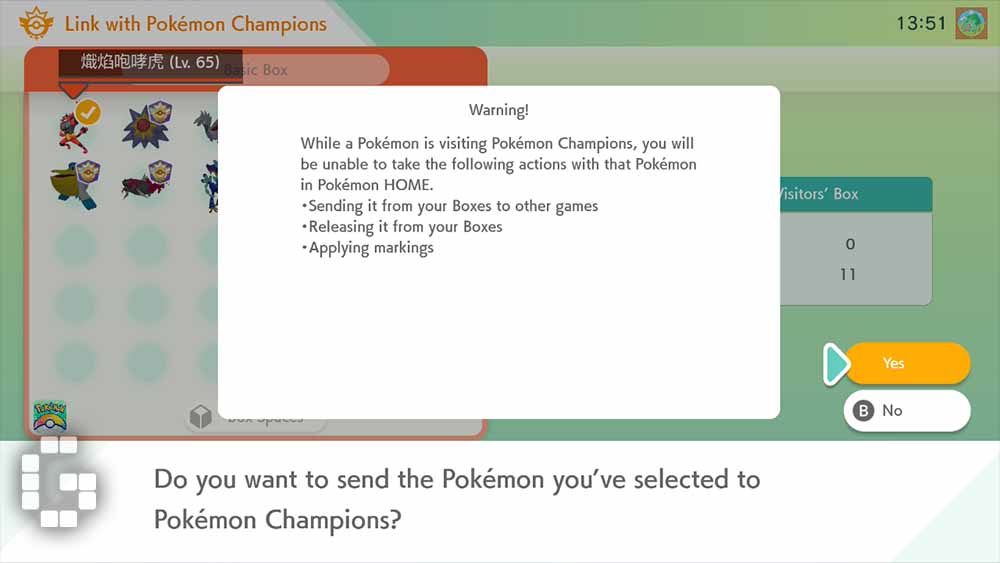
Inside Pokémon Home, choose the Pokémon you want to transfer and select the option to send them to Pokémon Champions.
Step 4: Open the Recruit Menu in Pokémon Champions
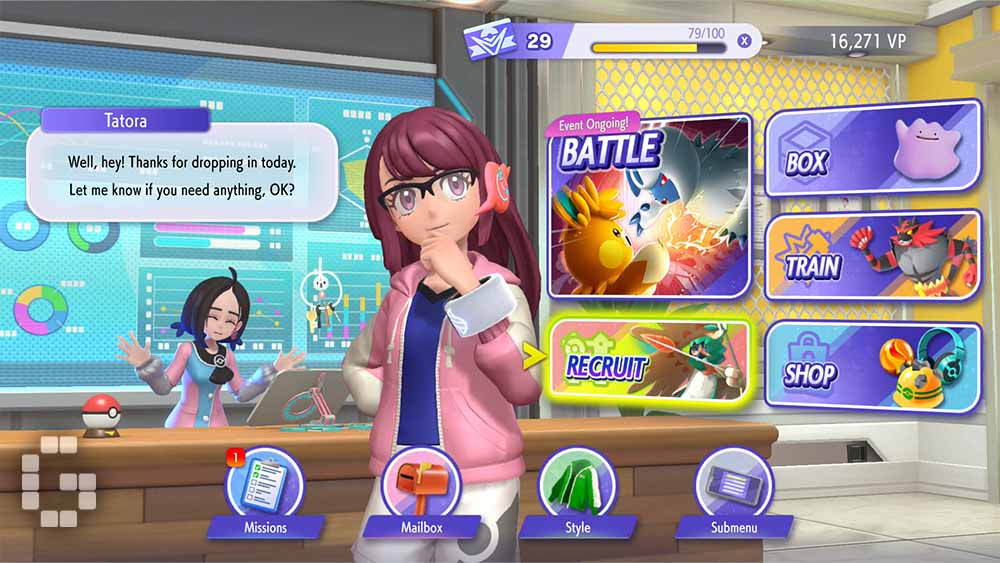
Return to Pokémon Champions, open the main menu, and navigate to the Recruit section.
Step 5: Receive Pokémon From Pokémon Home
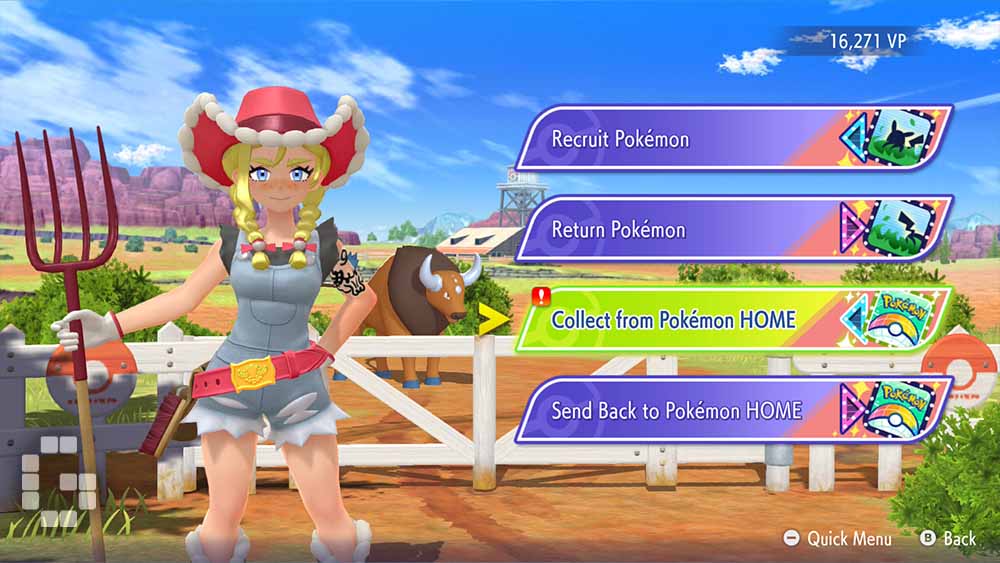
Select Receive from Pokémon Home and confirm the transfer to add your selected Pokémon to your roster in Pokémon Champions.
Transfer Rules Explained
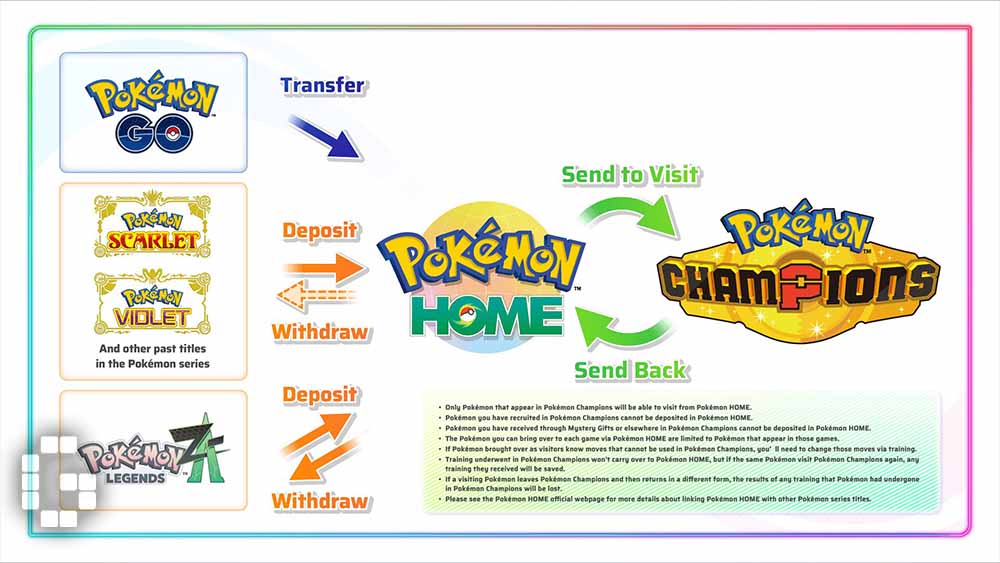
- Roster Availability: Only Pokémon that are currently available in Pokémon Champions can be transferred.
- Transfer Limitation: Pokémon recruited directly within Pokémon Champions cannot be sent back to Pokémon Home. Only Pokémon imported from Pokémon Home support two-way transfers.
- Unavailable Moves: Any moves that do not comply with Pokémon Champions battle regulations must be removed or replaced through in-game training.
Stat Inheritance and Progression
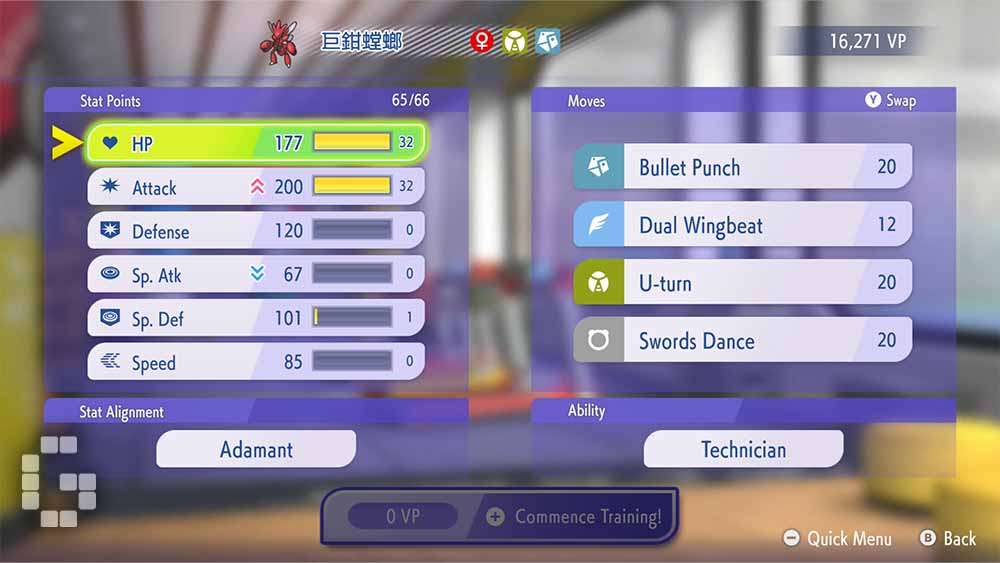
Transferred Pokémon retain key attributes, including EVs, Nature, Ability, and Ribbons, ensuring they arrive battle-ready. Any modifications made to stats, moves, Nature, or Ability within Pokémon Champions remain exclusive to the game and do not affect the Pokémon in Pokémon Home or other titles. Importantly, if a trained Pokémon is returned to Pokémon Home and later re-imported into Pokémon Champions, all prior training progress in the game is preserved. This feature allows players to continue developing their Pokémon without spending additional VP or tickets.
By leveraging Pokémon Home, Pokémon Champions players can build powerful, customised teams with familiar partners while maintaining flexibility in training and competitive progression. This integration bridges multiple Pokémon titles, offering a more engaging and strategic experience for fans of the series.